A useful WordPress repair quote starts with a clear incident and ends with an agreed way to check the work. Between those points sit access, diagnosis, the proposed change, recovery options and the question everyone eventually asks: what exactly does this price cover?
For a repair commissioned in 2027, use the brief below to compare the same work across suppliers. It is an original buying and acceptance framework. The worked example is fictional; it is not a client incident, a fixed-price offer or a promise that every failure can be repaired within one session.
There is already a separate guide to collecting hosting evidence before emergency repair. Use that for the technical evidence packet. This guide deals with the commercial handover: what you are asking someone to do, who can approve it and what will count as finished.
Start with the business task that stopped working
“The website is broken” can describe a public outage, a blank administrator screen, a missing form notification or one failing browser. Give the supplier the public URL and the task the affected person was trying to complete.
Explain who is affected and what still works. A working cached homepage says little about whether an editor can save or a new enquiry can reach sales. Keep observations separate from your theory of the cause; “started after an update” is valuable context without proving the update is responsible.
State the business consequence in terms you can support. Enquiries cannot be verified, staff cannot publish, or customers cannot complete a named step. If the number of affected transactions is unknown, leave it unknown rather than turning a guess into the incident’s financial value.
Give the incident a bounded timeline
Record when the failure was first noticed, the last known successful use and any recent deployment, hosting, DNS or configuration change. Include the timezone. A technician comparing logs needs a usable interval, not “sometime yesterday”.
List changes already attempted, including who made them and what happened. A plugin disabled by the owner, a restore started by hosting and a cache purge performed by an agency all change the evidence. Keep one shared change record while the incident is active.
Where several teams are involved, agree who coordinates. Hosting, the website developer and an integration provider may each own part of the route. They should not all be making unrecorded changes to the same system.
Separate assessment, repair and existing-record recovery
Ask whether the quote covers identifying the cause, implementing a bounded correction, or both. If diagnosis is a separately priced stage, establish its output and the approval needed before further work begins.
Restoring future behaviour and recovering existing records can be different jobs. A form may start delivering again while earlier enquiries still require reconciliation. A website may return after a restore while content created since the backup needs a separate decision.
Write those boundaries in the proposal. An initial repair scope can be limited and still useful, provided the remaining work has an owner and a clear next decision. A short, specific scope is easier to manage than a sweeping promise to fix everything.
Use a scope table before comparing totals
| Work item | What the proposal should identify | Approval boundary |
|---|---|---|
| Assessment | Affected route, evidence needed and diagnostic output | What happens if the cause remains unresolved |
| Recovery preparation | Available snapshot, restore method and recent-data boundary | Who approves a restore or temporary restriction |
| Correction | Component or configuration in scope and dependencies | Which findings require a revised quote |
| Verification | Original task, visitor condition and expected result | Who accepts the evidence |
| Handover | Change record, unresolved items and access close-out | Who owns each follow-up action |
Fill in the same rows for each supplier. A cheaper total may cover assessment alone; a larger one may include implementation and retesting. Those offers are only comparable once you can see what each actually buys.
Name the systems and people needed for access
Provide the CMS, hosting or managed platform, relevant integration names and the people who control them. The public request should contain this inventory, not passwords, private keys or customer exports.
After the scope is agreed, arrange the access needed through the chosen secure process. Identify its purpose, owner and planned removal or review. A public WordPress account may be insufficient for a hosting problem; broad server access may be unnecessary for a narrowly scoped content issue.
Record third-party dependencies honestly. If nobody can access the mail provider or DNS account, the quote should show that limitation and the route for obtaining the missing evidence. A supplier cannot verify a system they cannot inspect.
Agree recovery limits before changing production
Ask what backup or snapshot exists, what it includes and how restoration would work. A file copy and a database backup protect different things. Establish the date and the records that could be lost if an older state were restored.
Decide who can approve that consequence. Orders, enquiries, bookings and editorial changes created after the snapshot need attention before a broad rollback. The person authorising the repair should understand that boundary.
The technician should preserve relevant evidence and use the smallest supported intervention. If additional debugging is necessary, the WordPress debugging documentation provides the technical reference. Keep the test environment, logging and production exposure appropriate to the agreed work.
Make status and ownership visible
A repair needs a named owner and understandable states: waiting for evidence, assessment in progress, awaiting approval, correction applied, verification pending or closed. Choose the states that reflect your process and explain who moves the work between them.
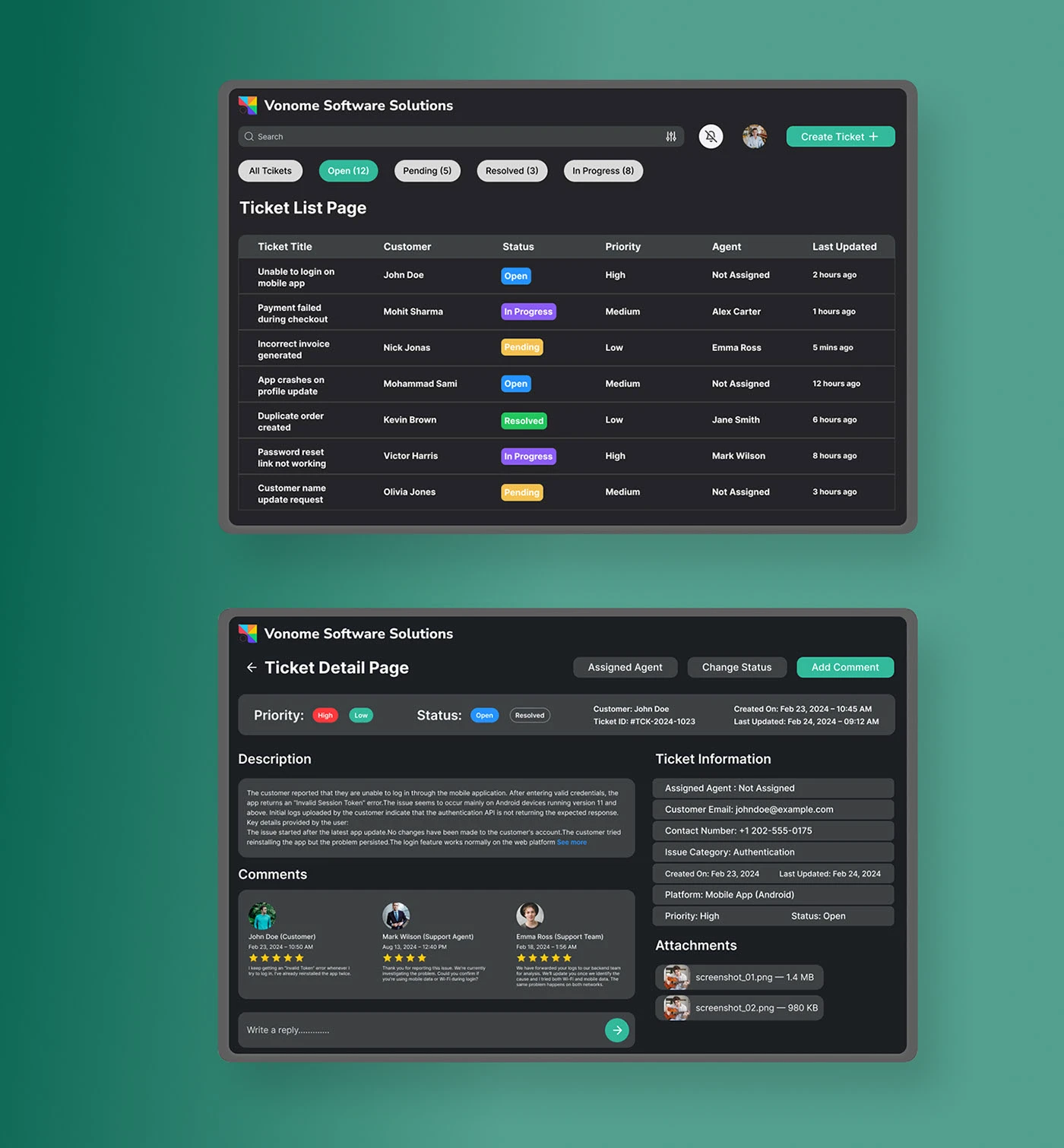
The visual reference makes status and assignment easy to discuss. Your agreement still needs the actual responsible person, communication route and approval process. A ticket marked resolved is an administrative state; the agreed verification is what supports closing the work.
Set an update rhythm that helps decisions
Agree when you will hear from the technician and what an update should contain: current observation, action taken, result, blocker and next decision. The interval depends on urgency and the work; obtain a specific agreement rather than inferring a response time from a general service description.
Make escalation practical. Name who can approve an additional diagnostic stage, a third-party change or a temporary restriction. Keep one place for those decisions so the person restoring service can see the latest authorised state.
A useful update can say that the cause is still unresolved and identify the next check. It should not imply that a change worked merely because no new complaint has arrived.
Define acceptance around the original task
Write the test before the correction is made. For a public blank page, acceptance includes the intended content under the affected visitor condition. For an administrator failure, it includes the actual editing or management task.
Use the white-screen decision guide or the administrator-only blank-page guide to keep those boundaries distinct. If the domain itself fails while the server responds, the IP-versus-domain diagnosis is another path.
Record the observed result, date, environment, affected URL and unresolved exclusions. Include relevant regression checks without quietly expanding the engagement into an audit of the entire website.
A worked brief: a public page loads, but an enquiry cannot be verified
This is a fictional commissioning example. Give it a reference such as REPAIR-BRIEF-001 and leave every unperformed test marked as pending. Its purpose is to show how a brief turns uncertainty into bounded work.
Observed symptom: the public contact page loads, but the owner cannot confirm receipt of an authorised test enquiry. The brief records the URL, time and visible result. It does not assume that the mail provider is at fault.
Assessment scope: trace one controlled reference through the website’s supported storage, notification provider and intended destination. The operator identifies the required access. CRM verification remains explicitly outside the first stage until its owner is available.
Repair decision: present the identified failure and proposed correction before any additional work outside the approved scope. Define how earlier enquiries will be reviewed separately if a recoverable source exists.
Acceptance: repeat a permitted new test under the same relevant conditions, confirm the agreed checkpoints and identify the remaining CRM dependency. Neither a visible success message nor an uninspected provider status closes the whole journey.
Compare the quote’s assumptions and exclusions
Ask how missing access, unavailable backups, unsupported custom components or a newly discovered compromise would affect the work. The response should identify the decision and approval required, not invent a precise cost for an unknown cause.
Check whether third-party charges, licences, content reconstruction, security investigation and continuing maintenance are included. Different suppliers can draw those boundaries differently. Make them visible beside the price.
Also ask how acceptance and any follow-up period are defined in the actual offer. Do not infer unlimited future fixes from the word repair. The written scope should explain what happens if the original symptom returns and how a separate failure is assessed.
Questions worth settling before you accept the quote
How do hourly and fixed-scope offers compare?
Compare the same authorised work, evidence and exclusions. With an hourly offer, agree the reporting, any approved spending boundary and the point at which the technician must ask before continuing. With a fixed scope, identify the assumptions and the findings that would change it. Neither pricing format settles whether historical-data recovery, third-party work or retesting is included. Put those items beside the price and keep any diagnostic stage distinct.
What if service must return before the cause is fully understood?
Agree an interim objective and its risks explicitly. A temporary restoration, maintenance response or narrowly limited feature can support continuity while investigation continues. Record what has actually been restored, what remains restricted and who owns the next step. Do not treat a temporary response as evidence that the underlying fault has been removed. The proposal should say how the final diagnosis and verification are commissioned.
How do you accept an intermittent repair?
Describe the original condition and agree a repeatable test, the observations to retain and a sensible review window. Record the sample and whether the symptom reproduced. A small set of successful attempts does not prove the failure can never recur, but it provides a named basis for the acceptance decision. Identify what will trigger further investigation and which person will receive that evidence.
Can you request a quote without sharing access first?
The public URL, symptom, timing and business task support an initial assessment. The supplier should explain what remains unknown and whether a controlled diagnostic stage is needed to price the correction. Keep any estimate’s assumptions visible. Access can then be arranged for the agreed purpose; there is no reason to place credentials in the initial public request.
Two observed incidents: what a repair handover should contain
On 25 October 2026 we documented these two problems on websites in our own network. They are our interventions, rather than customer cases or fictional examples. Use them to compare deliverables: symptom, cause, change and verification. We did not measure repair duration or calculate recovered sales.
WR-01. A table that pushed the whole page sideways
Symptom: on the Forms Not Sending form-testing guide, a browser window configured to 412 pixels had a document 517 pixels wide. The article block measured 622 pixels. The table retained its 620-pixel minimum and the page overflowed. The table had apparently decided to move into a larger apartment.
Confirmed cause: the grid item’s automatic minimum prevented the content from shrinking with the viewport. The table wrapper already allowed horizontal scrolling, but its parent kept expanding. The MDN min-width reference explains the automatic minimum for grid items.
Applied change: we allowed grid children to shrink using min-width:0 and set the narrow-screen column to minmax(0,1fr). The table kept scrolling inside its wrapper. The correction lives in an extension scoped to article pages; the theme file ended with its original contents. We did not hide whole-page overflow to conceal the fault.
Public verification: the post-change record showed a 412-pixel document for a 412-pixel window. We have now repeated the public visit in Chromium at widths of 412 and 1440 pixels: the document fits and the table scrolls inside its wrapper at the narrow width. These are desktop-browser viewports, rather than physical-phone tests or a complete browser matrix.
WR-02. The cookie switch disagreed with the saved choice
Symptom: while reviewing the Code GxP performance and consent article, the saved analytics preference was denied and the measured visit recorded none of the tracking requests we counted. The cached panel nevertheless displayed its switch as on. Reading only the switch would have led to the wrong diagnosis.
Confirmed cause: the visual state delivered in the HTML was not synchronized with the category stored in that browser. The repair needed to reconcile the displayed control with the existing choice. Changing the visitor’s saved preference to match the screen would have solved the problem backwards.
Applied change: we added a way to reopen the existing preferences and synchronized the switches on load and when reopening the panel. This reads the saved choice without replacing it. We refreshed the affected public cached responses and removed the temporary measurement observer.
Public verification: the original series alternated three rejected and three accepted visits in desktop Chrome. It recorded zero resources from the counted tracking origins with rejection and two in each accepted visit. For the current repeat we used two fresh Chromium contexts: choose rejection or acceptance through the interface, reload and reopen configuration. The switch agrees with the saved category in both cases. This verifies that journey; it is neither a complete privacy audit nor evidence of a speed improvement.
| Incident | Before | Verified closure criterion |
|---|---|---|
| WR-01 · Layout | 517 px document in a window configured to 412 px. | 412 px document; table scrolls within its wrapper. |
| WR-02 · Preferences | Analytics denied; displayed switch on. | After choosing, reloading and reopening, saved and displayed states agree. |
You do not need to identify the CSS property or the source of the incorrect state before requesting a quote. Ask for the same chain of evidence: what failed, what was confirmed, what changed and under which conditions the test was repeated. An attractive “after” screenshot can accompany it; closure needs something another person can check.
Close access and keep a usable handover
Request a concise account of the observed cause, change made, verification performed and remaining items. Preserve the identifiers and technical evidence needed for continuity while keeping credentials and unnecessary personal data out of the shared document.
Review temporary access and diagnostic settings with their owners. Assign responsibility for any monitoring, updates or further implementation. A repair may expose a maintenance need, but that continuing work deserves its own agreed scope.
To request a WordPress website repair quote, send the public URL, original symptom, approximate timeline, recent changes and the task you need working again. Website Repair reviews that context before requesting access or starting work. A precise brief does not have to be a grand document. It just needs to give the next person something useful to act on.